
Your PIC cross-country hours
Job and insurance forms often ask for PIC cross-country time. FF Logbook has no ready-made total for it, but a totals widget can count it. The trick is which way round you build it: you want cross-country time on PIC flights, not PIC time on cross-country flights.
1. Start from Cross-Country
Section titled “1. Start from Cross-Country”- Reports → Summary, then Edit on a folder (for example Career) → Add Widget.
- Scroll down to FLIGHT TIME and tap Cross-Country, not PIC Time. Start from the time you want to add up.
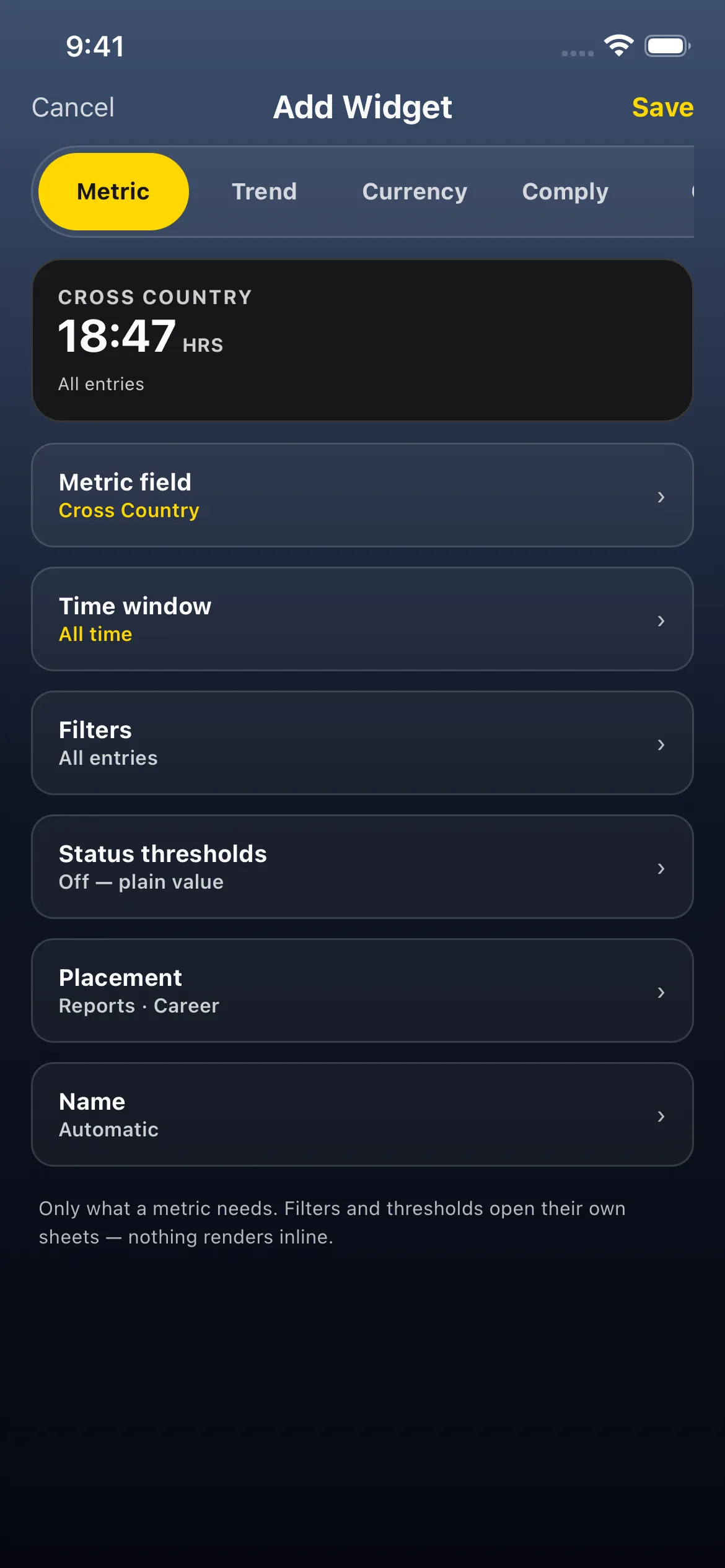
- The editor’s preview reads CROSS COUNTRY · 18:47 HRS · All entries. That’s all your cross-country time, including any paper logbook you carried over (the time window is All time).
2. Keep only the PIC entries
Section titled “2. Keep only the PIC entries”- Tap Filters → + Filter → Value. The field Has Value is already selected. It keeps only the entries where that field is filled in (more than zero).
- The list starts on Total Time. Tap PIC Time, the row just below it.
- Scroll to the bottom of the list (it’s long: every time and count field) and tap Apply Filter. The filter shows as a chip, Has PIC Time.
- Tap Apply. The preview still reads the same total, 18:47 in this example, now with Filters 1 filter.

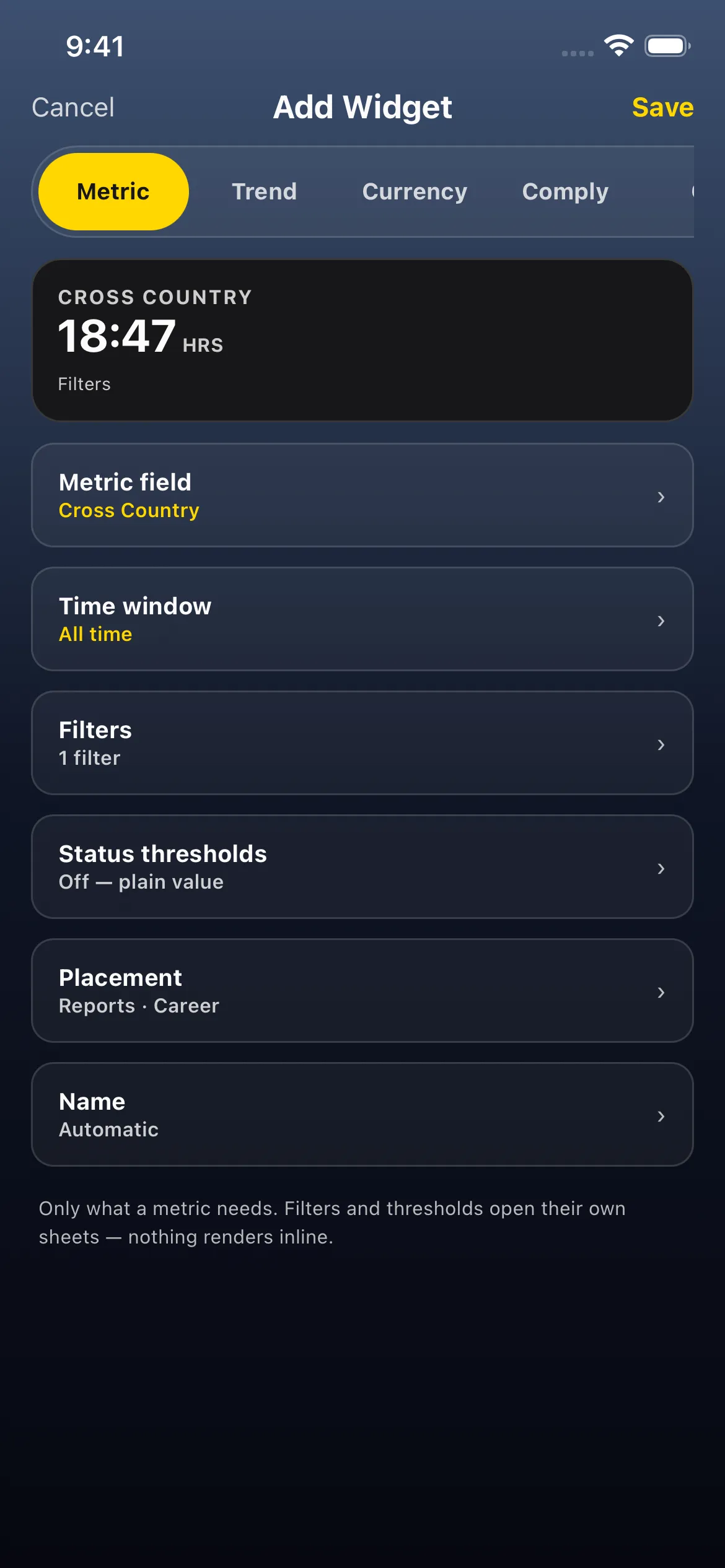
On this account the number doesn’t move, because every cross-country flight was flown as PIC. In a logbook with dual cross-country flights (no PIC time logged), those flights drop out at this step.
3. Save it and see the flights
Section titled “3. Save it and see the flights”- Tap the checkmark (Save) at the top right, then go back. Career shows the new tile, CROSS COUNTRY · 18:47 HRS.
- Tap the tile. Flights opens with Widget: Cross Country 18:47 HRS and 3 Flights 3:47 Total. That header adds up the flights’ total time; here their cross-country equals their flight time.
- Tap Clear when you’re done.
The other 15:00 of the tile’s 18:47 is the paper-logbook carry-over. It counts in the tile but never shows as a flight.

The build that looks right but isn’t
Section titled “The build that looks right but isn’t”The obvious build is PIC Time with Filters → Flight → Has Cross-Country Time → Yes. Its chip reads Cross-Country. In this example the preview reads 58:47.
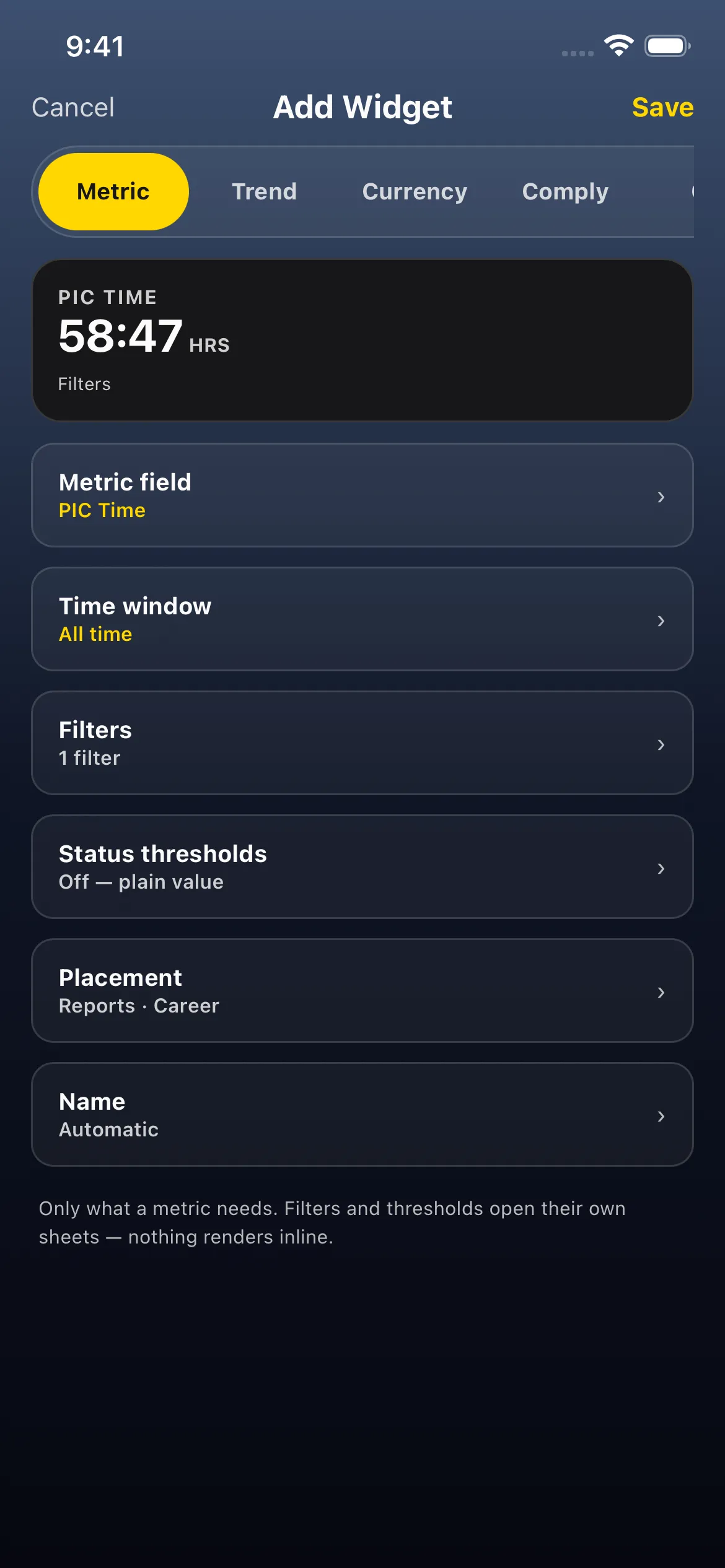
That’s more than all the cross-country time in this example (18:47), so it can’t be PIC cross-country. Filters pick the entries; the metric picks the time. This build adds up all the PIC time on every entry that has any cross-country. Here that’s 3:47 from the flights, plus all 55:00 of the carry-over’s PIC, because the carry-over also has cross-country.
A quick check: PIC cross-country can never be more than your total cross-country. If it is, the widget is built the wrong way round.
Good to know
Section titled “Good to know”- The paper logbook counts in full. The carry-over is one entry with both PIC and cross-country, so the right build counts all its 15:00 of cross-country. The app can’t tell which of those hours were PIC. If your paper logbook had dual cross-country, check your paper totals by hand. In this example the carry-over also holds 30:00 dual, so its 15:00 is an upper bound. The same goes for any single entry with some PIC time: all of its cross-country counts, even if part of it was dual.
- On the boolean filter, choose with Yes or No. Has Cross-Country Time’s OPERATOR row shows two chips both labelled is; the CONDITION pills Yes / No are what set it.
- Don’t filter by duty role instead. Solo and instructor flights also log PIC time, and a role filter would drop them.
- Time windows still apply. Add a Time window for “PIC cross-country in the last 12 months”. A windowed widget leaves the carry-over out, so it counts logged flights only; the carry-over counts only with All time. See Hours last month on a card, and the carry-over trap.
- The same recipe works for other combinations: start from the time you want (Night Hours, Instrument Time…) and add Has Value → PIC Time.