
Fly floats? Log water takeoffs and landings
If you fly floats, the app can count your water takeoffs and water landings on each flight. The two counters start off on every profile: no role template switches them on. Switch them on once in your role profile, and Log Flight’s Procedures step shows them under their own header, Role-gated.
1. Switch the counters on
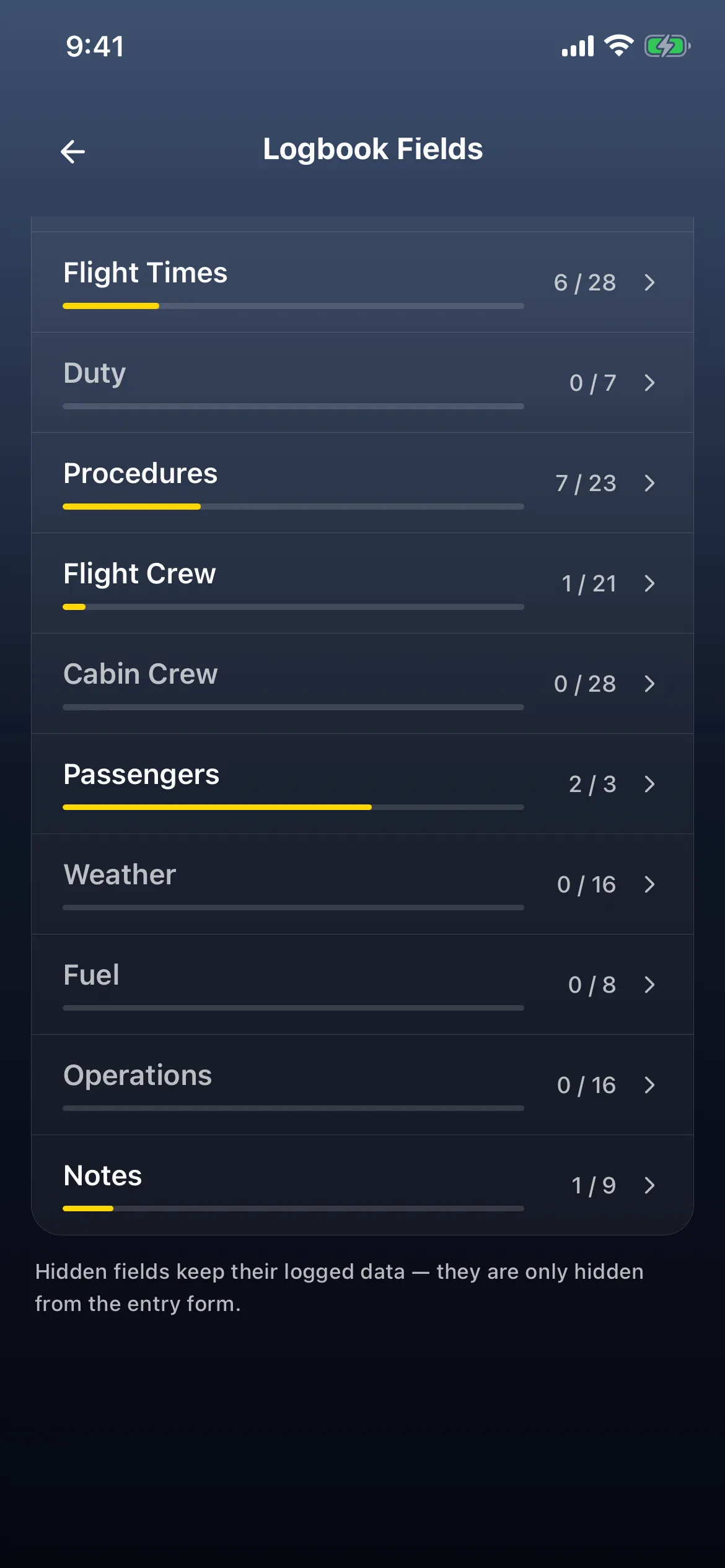
Section titled “1. Switch the counters on”- Account → Pilot Role → the settings button on your profile (VoiceOver reads, for example, Open settings for GENERAL AVIATION) → Logbook Fields. It shows how many fields are on, for example 29 of 189 shown.
- Leave the toggle at the top on Flight (the other side is Sim), and tap Procedures (for example 5 / 23).
- Scroll down past the day and night takeoffs and landings, and switch on Water Takeoffs and Water Landings. A bar at the bottom counts what you’ve changed: 1 unsaved change, then 2 unsaved changes with Save.

- Tap the back arrow. Logbook Fields still shows 2 unsaved changes with Save. Tap Save: the toast reads Profile saved, and Procedures now reads 7 / 23. Back on the Role Profile, Logbook Fields reads 31 of 189 shown.
2. Count them when you log
Section titled “2. Count them when you log”- Dashboard → Log Flight → New Flight, and fill in the Flight step as usual (for example today, KPAO → KPAO, N172FF). Then tap Proc in the step bar to jump to Procedures · 5 of 8.
- Under TAKEOFFS & LANDINGS, the app has already filled in Day Takeoffs 1 and Day Landings 1 (1 TO · 1 LDG), as it does on a flight marked pilot flying (P1 · PF in the header). Below them is a new group, ROLE-GATED, reading ON FOR THIS PROFILE, with Water Takeoffs and Water Landings at 0.
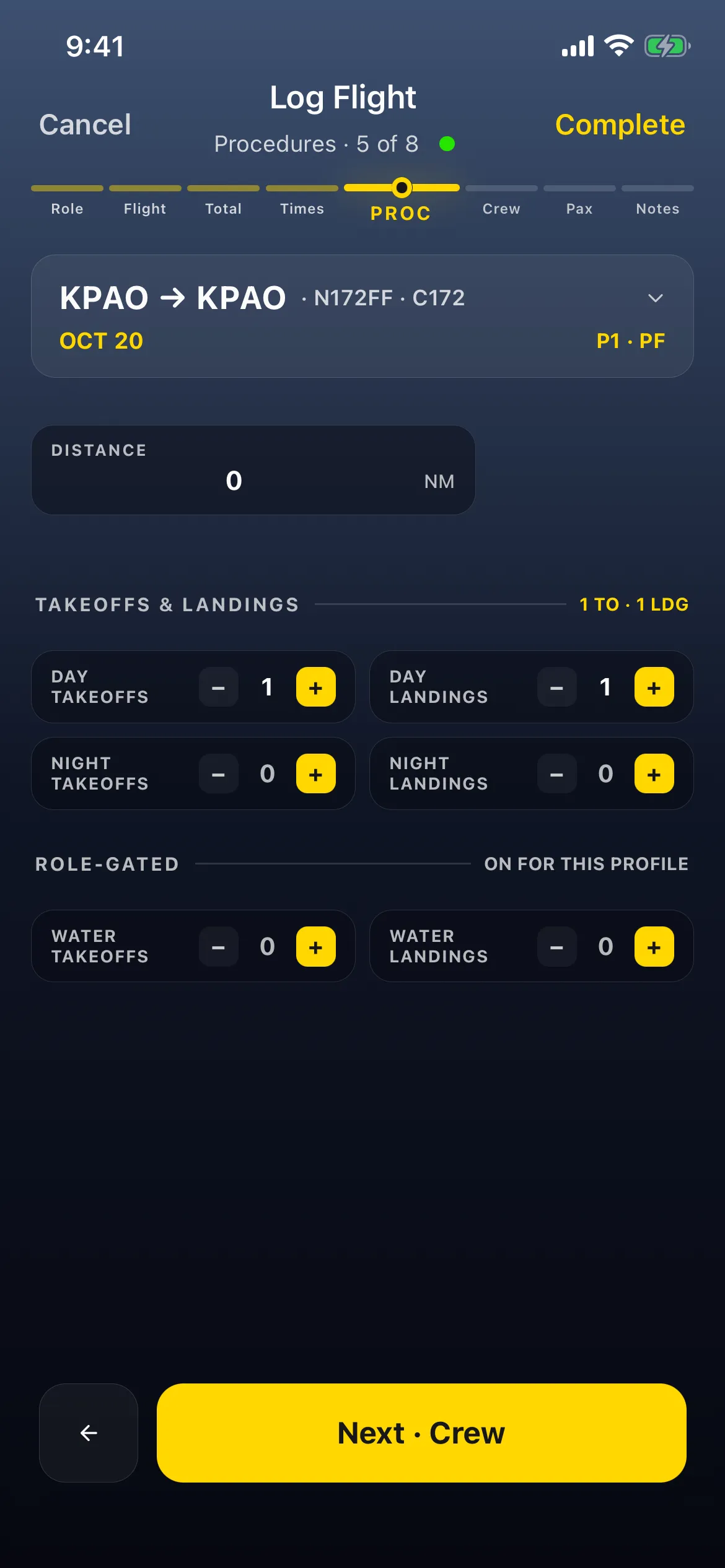
- Tap + once for each water takeoff and each water landing. Tap once on each: both read 1, and the group’s status changes to 2 LOGGED. The day counts and 1 TO · 1 LDG stay as they were.

- For a real flight, tap Complete. To throw away a practice entry, tap Cancel, then Discard Draft on Leave Log Flight?: nothing is saved.
Good to know
Section titled “Good to know”- They’re never filled in for you. Pilot flying seeds a day or night takeoff and landing, but never a water one: both counters are typed only. They’re also a separate tally: the water counts didn’t change the day takeoffs and landings, and those didn’t change them. Set both. Whether a water landing should also count toward your landing currency is a question for your authority’s rules; the app doesn’t add one to the other.
- They belong to the role profile. The switches live in that profile’s Logbook Fields, so the Role-gated group shows only on flights logged with a profile that has them on. Fly floats under more than one profile? Switch them on in each. See Fly more than one way - role profiles. Switching them off later only hides them: Hidden fields keep their logged data — they are only hidden from the entry form. (on Logbook Fields).
- A custom currency rule can count them. Water Landings and Water Takeoffs are in the rule’s Field list; no built-in currency rule uses them. See Make your own currency rule.
- Totals and batch edits. A Reports summary card can total them, under Landings & Takeoffs, and Edit many flights at once can set them on several flights. See Edit many flights at once.
- No logbook PDF prints them. Nothing under
services/reports(the AU, CA, EU, GB, HK, US, ZA and Summary formats, and the custom report columns) refers towater_takeoffsorwater_landings. They’re saved with the flight, but your printed logbook won’t show them. See Customize your report columns. - The group also holds custom counters. Custom Takeoffs and Custom Landings, if you switch them on, appear under Role-gated too, and count towards its LOGGED total.